Store
1. Store
A store is an organized and controlled facility, or designated location within an organization, where materials, goods, products, or supplies are received, inspected, recorded, stored, safeguarded, and issued for operational use, production, or sale.
2. Key functions of a store
A professionally managed store performs the following core functions:
Receiving and inspecting incoming goods
Recording inventory transactions accurately
Safely storing and preserving inventory
Protecting inventory from damage, theft, loss, or deterioration
Issuing inventory based on authorized requests
Monitoring stock levels and initiating replenishment when necessary
Maintaining complete records and audit trails
Supporting financial accountability through accurate inventory valuation
Ensuring compliance with organizational policies and regulatory requirements
Facilitating efficient movement of goods across the supply chain
3. Parent store
A parent store is the primary, or higher-level, store that oversees, controls, or supplies one or more subordinate stores, known as child stores. It serves as the central source of inventory distribution, stock management, and administrative control within a multi-store inventory structure.
The parent store typically receives inventory directly from suppliers or procurement, maintains the main stock, and distributes inventory to child stores based on approved requests or replenishment needs.
4. Store operator
A store operator is a person responsible for performing the daily operational activities of a store, including receiving, recording, organizing, issuing, and maintaining inventory transactions under the supervision and approval of the store manager. The store operator ensures that all inventory movements are accurately processed, documented, and aligned with established store procedures.
5. Responsibilities of a store operator
Receiving and recording
Receive inventory deliveries according to approved procedures.
Verify received items against supporting documents.
Record goods receipt transactions in the system.
Enter and update inventory information.
Arrange and store items in assigned locations.
Label and identify inventory items properly.
Maintain accurate stock records.
Issuing and transferring stock
Process approved stock issue transactions.
Prepare items for department requests.
Perform stock transfers as authorized.
Process approved inventory returns.
Stock counting and reconciliation
Support stock counting activities.
Compare physical stock with system records.
Report stock discrepancies to the store manager.
Storage conditions and rotation
Monitor item conditions during storage.
Check batch numbers and expiry dates where applicable.
Apply FIFO stock rotation practices.
Maintain cleanliness and organization of storage areas.
Ensure proper handling of sensitive or controlled items.
Documentation and compliance
Prepare inventory documents such as issue notes and receipt notes.
Update transaction status in the inventory system.
Maintain traceability of all stock movements.
Report damaged, expired, or missing items.
Follow store security and safety procedures.
Support audits and inventory inspections.
Maintain confidentiality of inventory records.
Ensure transactions are processed only with proper authorization.
6. Approval strategy
An approval strategy is a controlled authorization framework that defines how inventory-related transactions within a store are requested, reviewed, approved, and completed by responsible personnel. It ensures that all stock movements, adjustments, transfers, and inventory decisions are performed by authorized individuals while maintaining accountability, accuracy, security, and compliance with organizational policies.
A store supports two approval strategies:
- In-approval strategy
A control process that defines how inventory entering a store is received, verified, authorized, and recorded before becoming available stock. It ensures that all incoming goods are properly inspected, approved, documented, and accepted into inventory according to organizational policies.
- Out-approval strategy
A control process that defines how inventory leaving a store is requested, reviewed, authorized, and issued to ensure that stock is released only to approved users, departments, or destinations while maintaining accountability and accurate inventory records.
7. Managing stores in Inaya
The following procedures describe how to create, update, and delete a store in Inaya.
Stores must exist before they can be used as a transfer source or destination. Use the procedures below to create, update, or remove a store.
Create a store
Create a new store
Search for Stores in the search panel.
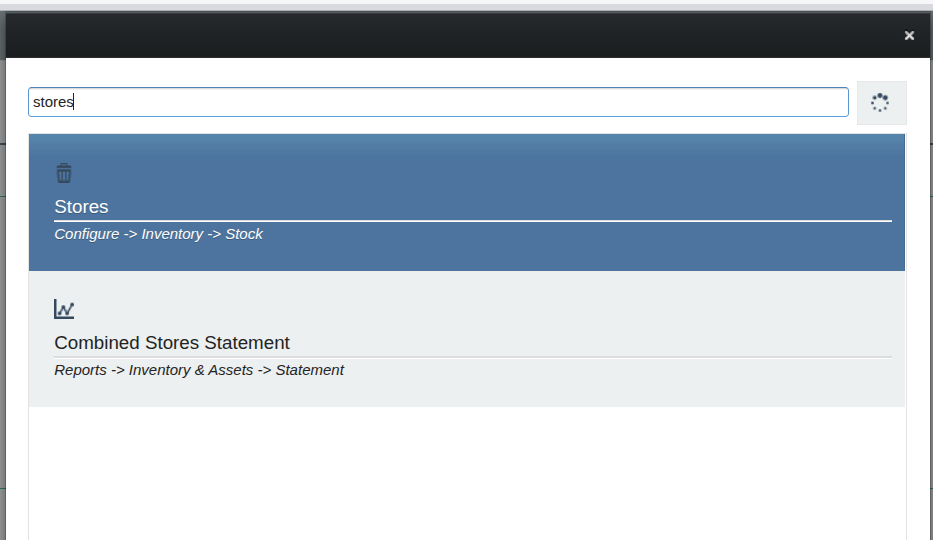
Click the plus (+) icon below the store list to add a new store.

Enter the name of the store.
Add a parent store, if applicable.
Add the required approval strategies.
Add the operator.
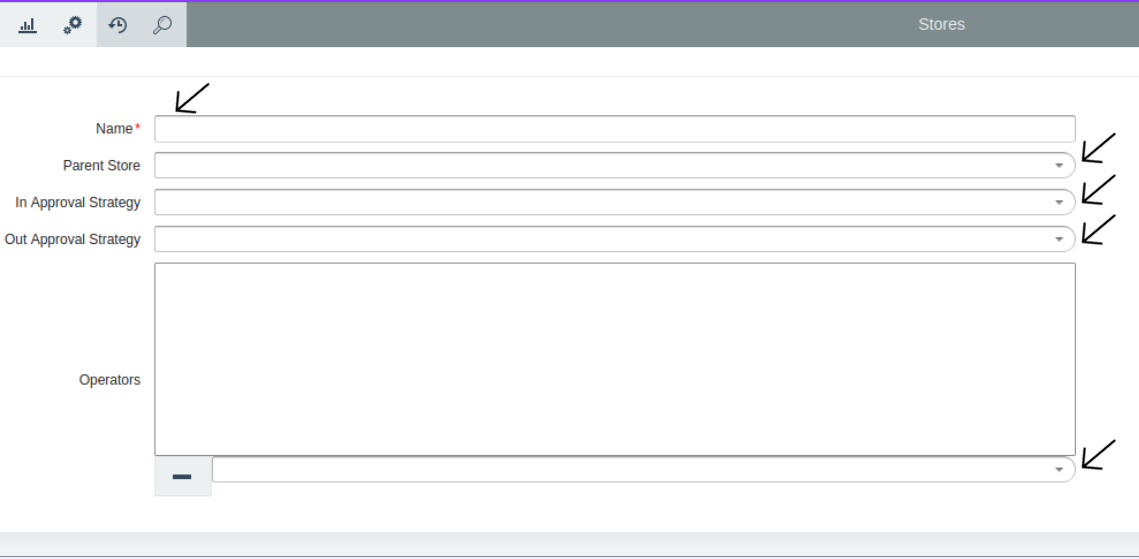
Click the Save icon below the form.
The store is created successfully.
8.Update a Store
Update an existing store
Search for Stores in the search panel.
Select the store you want to update.
Edit the store details as needed.
Click the Save icon below the form.
The store is updated successfully.
9.Delete a Store
Delete a store
Search for Stores in the search panel.
Select the store you want to delete.
Click the minus (-) icon.
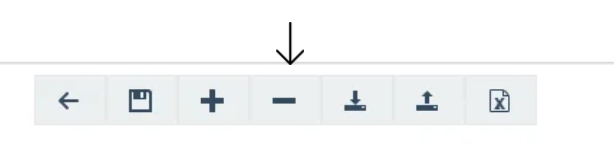
Confirm the deletion in the pop-up message.
The store is deleted successfully.