Notification Reports
Notification Reports provide a list of system alerts related to inventory and assets. They show notifications such as low stock warnings, near-expiry items, pending approvals, and other important system events.
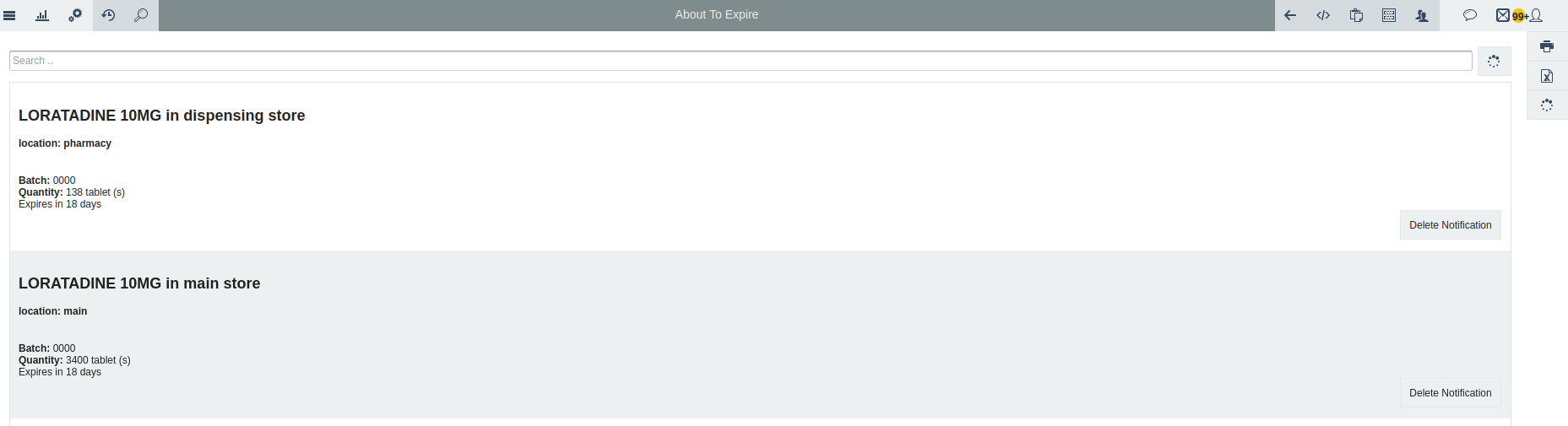
1. The About To Expire report
Shows items or assets that are close to their expiry date. It helps users take early action, such as using the items first, transferring them, or preventing losses due to expiration. When you press the delete notification button the notification will be deleted.
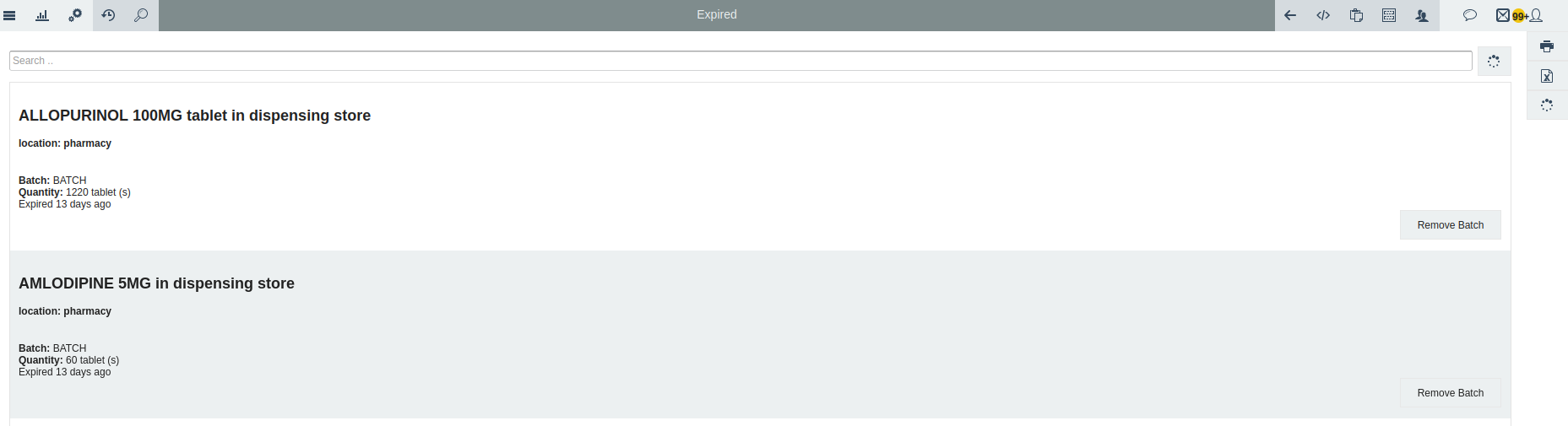
2. Expired items report
The Expired notification report shows items or assets that have already passed their expiry date.
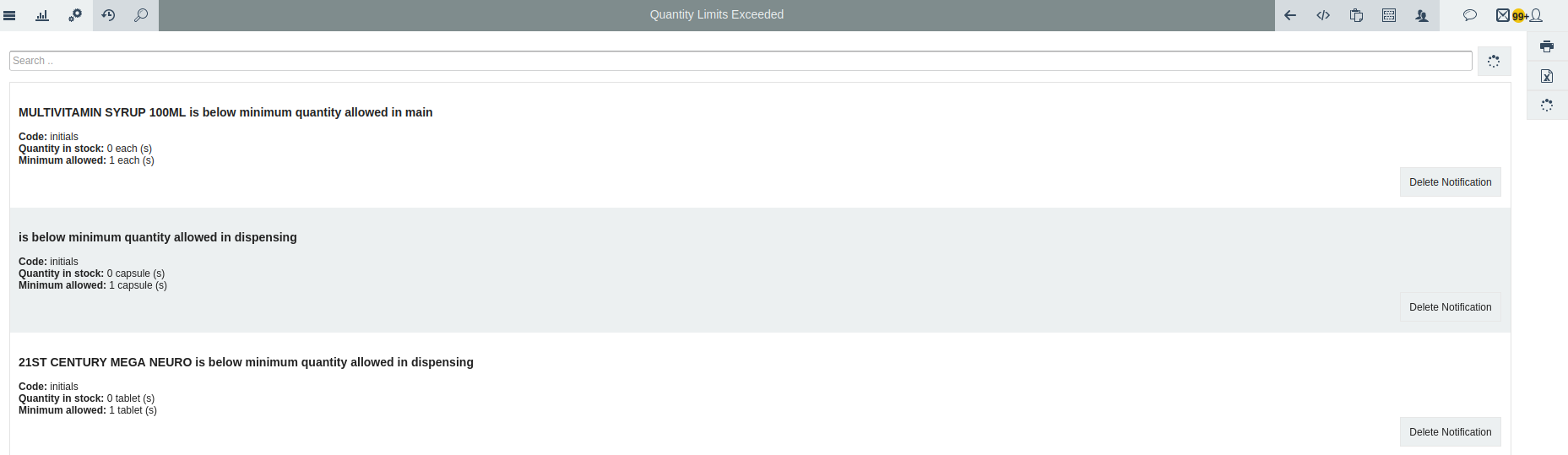
3. The Quantity Limits Exceeded report
Alerts users when an item’s stock level goes above the maximum limit or falls below the minimum limit set in the system.
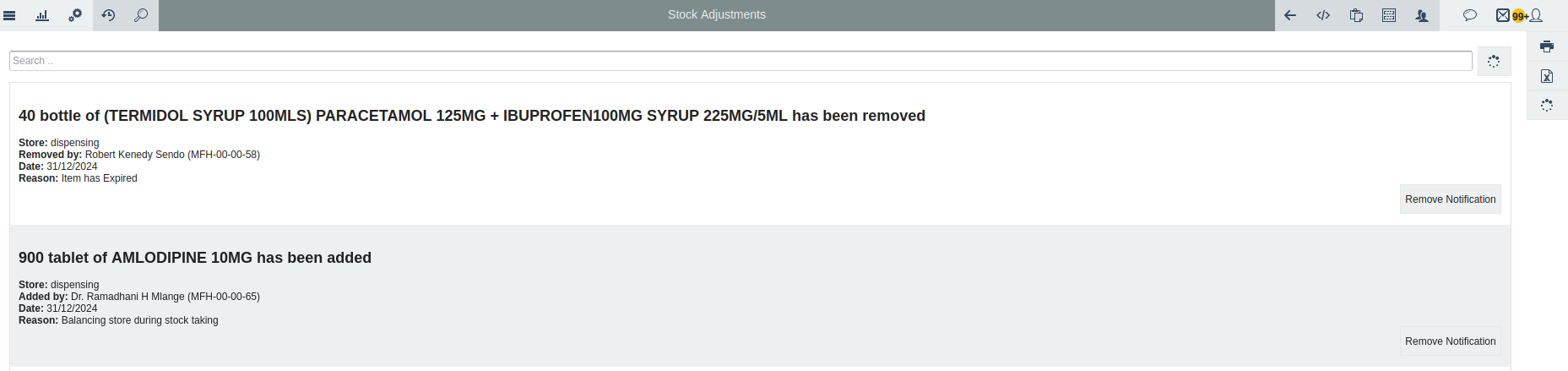
4. Stock Adjustments Report
Are changes made to the quantity of items in Inaya to match the actual stock. They are used when items are damaged, lost, expired, or if there is a difference between the system record and the real stock. This helps make sure the inventory records in Inaya are correct.