Goods Receive Note(GRN)
A Goods Received Note (GRN) is a document created when goods are delivered by a supplier and received by an organization.
It records the items that have been received and provides details about what was delivered. The GRN is normally created after the receiving user checks the delivered goods and confirms the quantities and condition of the items.
The GRN acts as a record that shows what was received, how much was received, when it was received, and from which supplier it was received.

the image shows Goods are delivered by the supplier and checked before they are recorded as received.
1. Where is a Goods Received Note (GRN) Used?
A GRN is mainly used when an organization receives goods that were ordered from a supplier.
For example, a hospital may create a Purchase Order for medicines, gloves, syringes, and other medical items. When the supplier delivers the items, the receiving staff checks the delivery and creates a GRN to record the goods that were received.
GRNs can be used in areas such as:
Stores and inventory – to record items received into the store.
Purchasing – to confirm that goods ordered from a supplier have been delivered.
Finance and accounts – to support checking supplier invoices before payment.
Hospitals and health facilities – to record medicines, medical supplies, and other items received.
Shops and businesses – to record stock delivered by suppliers.
2. Goods Receiving Note (GRN) Process Flow
The following flow shows the main steps on creating Goods Received Note (GRN):
3. Why is a Goods Received Note(GRN) Created?
A GRN is created to keep a clear record of goods received from a supplier.
When a supplier delivers goods, the actual delivery may not always be exactly the same as the original order. There may be missing items, extra items, damaged goods, or other differences.
The GRN helps record what was actually received, instead of only recording what was originally ordered.
For example, an organization may order 100 boxes of gloves, but the supplier may deliver only 95 boxes. The GRN can record the actual quantity received as 95 boxes.
This makes it clear that the organization did not receive the full 100 boxes ordered.

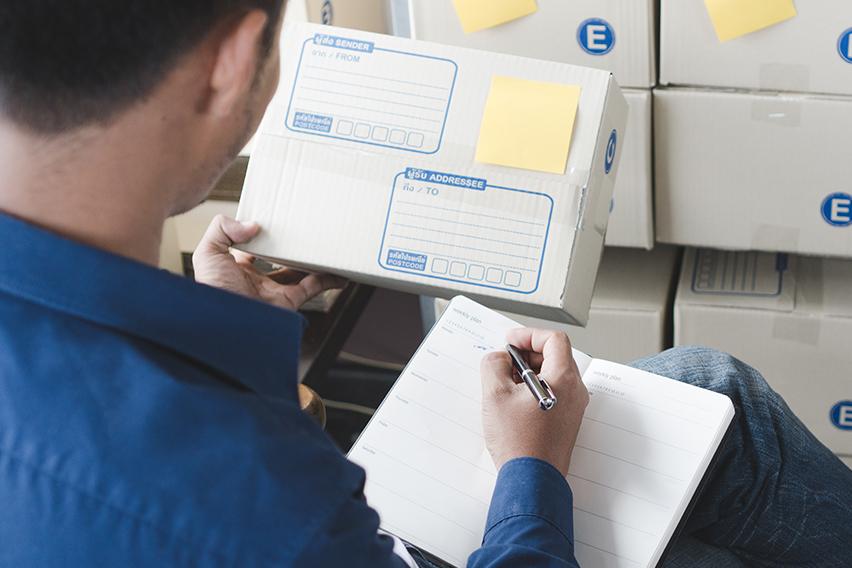
the image shows how the delivered goods are checked against the order and delivery documents before they are accepted.
4. What Does a Good receive Note(GRN) Help With?
A Goods Received Note(GRN) helps an organization to:
Keep an accurate record of received goods.
Confirm the quantity of goods delivered.
Compare received goods with the Purchase Order.
Identify missing or damaged items.
Provide a record that goods were received from the supplier.
Support the checking of supplier invoices.
Make it easier to track deliveries and follow up on differences.
Provide a clear record for future reference.
5. Example of a Goods Received Note(GRN)
For example, a hospital creates a Purchase Order for the following items:
no | Item | Purchased Quantity | Delivered Quantity |
|---|---|---|---|
1. | Surgical Gloves | 100 boxes | 100 boxes |
2. | Face Masks | 200 boxes | 180 boxes |
3. | Syringes | 500 pieces | 500 pieces |
When the supplier delivers the goods, the receiving staff checks everything.
The inspection shows that:
All 100 boxes of Surgical Gloves were received.
Only 180 boxes of Face Masks were received instead of 200.
All 500 Syringes were received.
The GRN is then created based on the quantities actually received:
no | Item | Quantity Received |
|---|---|---|
1. | Surgical Gloves | 100 boxes |
2. | Face Masks | 180 boxes |
3. | Syringes | 500 pieces |
The GRN therefore provides a clear record that 180 boxes of Face Masks were received, even though 200 boxes were originally ordered.
The missing 20 boxes can then be followed up with the supplier.
6. Important Features When Creating a Good Received Note(GRN)
Received Item shows the item that has been delivered and is being recorded in the Goods Received Note. This allows the user to select or identify the specific items that were actually received from the supplier. The user should make sure that the selected item matches the item delivered and the item listed in the Purchase Order.
For example, if the supplier delivers 50 boxes of Surgical Gloves, the user selects Surgical Gloves as the received item.
This helps ensure that the correct items are recorded in the GRN and that the inventory record is updated correctly.
Delivery Note No. Delivery Note No. is the reference number written on the delivery note provided by the supplier. The delivery note is usually given by the supplier when goods are delivered. It contains information about the delivery and helps identify the specific shipment. The user enters the delivery note number in the GRN so that the delivery can easily be traced back to the supplier's document.
For example, if the supplier's delivery note has the number DN-00458, the user enters DN-00458 in the Delivery Note No. field.
This is useful when checking a delivery later or when there is a question about which supplier delivery a GRN belongs to.
Remarks is used to record additional information or comments about the received goods. The user can use this field to record anything important that is not already covered by the other fields.
For example, the user may enter: “5 boxes were damaged during delivery and were not accepted.” Or: “20 boxes received. 5 boxes are still pending delivery.”
Remarks help provide more details about the delivery and make it easier for other users to understand what happened during the receiving process.
Example
Suppose a supplier delivers 100 boxes of gloves. The supplier provides a delivery note numbered DN-00458. During receiving, the user finds that 5 boxes are damaged.
The GRN can be recorded as:
Received Item: Surgical Gloves
Delivery Note No.: DN-00458
Remarks: 5 boxes were damaged during delivery.
This gives the organization a clear record of what was received, which supplier document was used, and any important information about the delivery.
7. Importance of a Goods Received Note(GRN)
A Goods Received Note is important because it provides a clear record of the goods that entered the organization.
It helps different teams work with the same information. The store knows what was received, procurement can confirm the delivery, and finance can use the receiving record when checking the supplier's invoice.
In simple terms, the Purchase Order tells the supplier what was ordered, while the GRN records what was actually received. This makes the receiving process easier to track and helps keep purchasing, inventory, and payment records accurate.
Create a Goods Received Note (GRN)
Go to Main Menu → Finance → Purchase → Purchase Orders.
From the Status dropdown, select Completely Delivered. If you need to find an older Purchase Order, use Backdate.
Open the required Purchase Order.
Click the down-arrow icon to view the available options.
At the bottom of the available options, click Create GRN to create the Goods Received Note.
If approval is required, click Submit for Approval. If approval is not required, the GRN will be automatically approved.
Read a Goods Received Note (GRN)
Go to Main Menu → Finance → Purchase → Purchase Orders.
From the Status dropdown, select Completely Delivered. Use Backdate to find older Purchase Orders if needed.
Open the required Purchase Order.
Click the truck icon to view the created GRN.